How to Build an Online Judge, Part 2: Python Subprocesses Explained
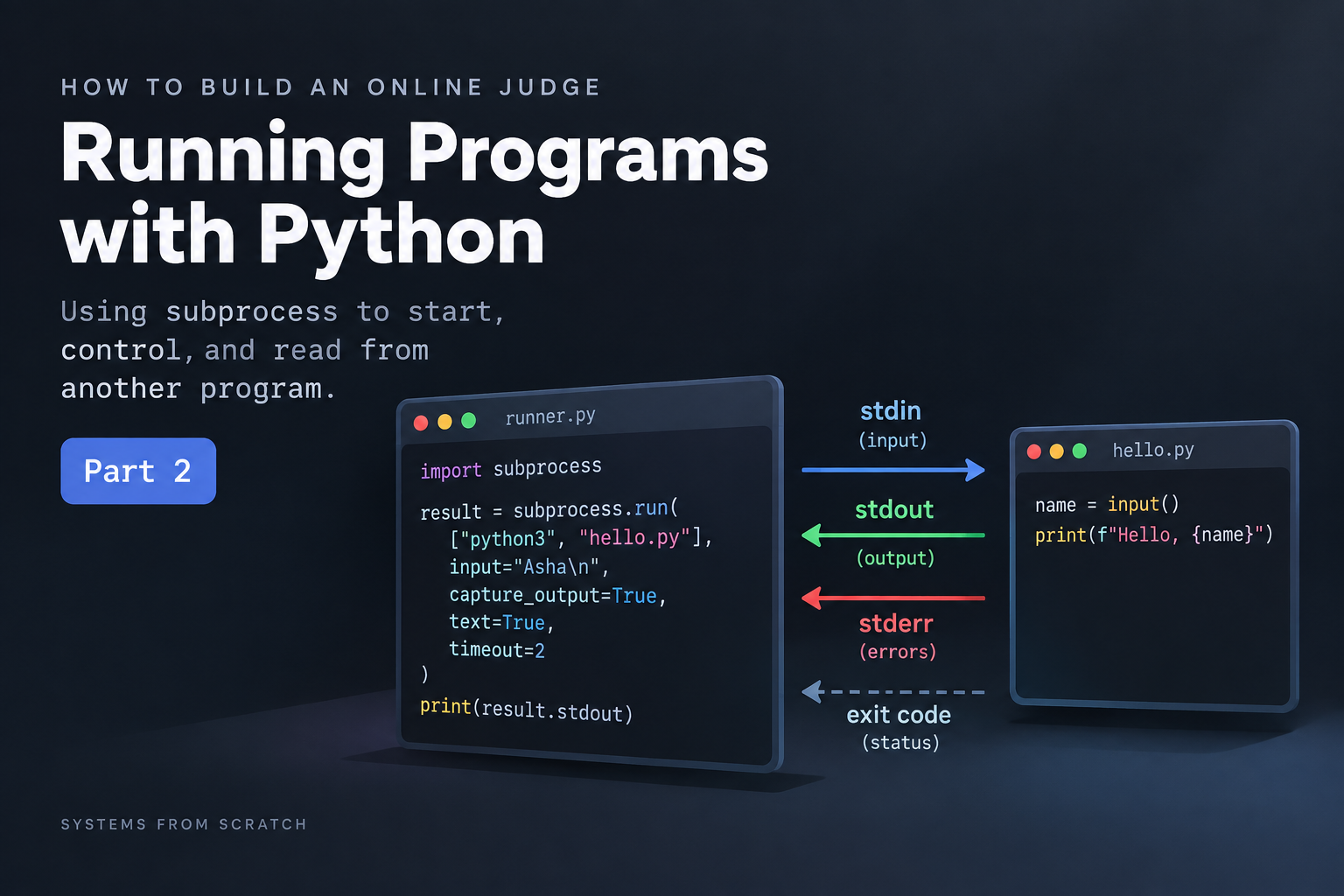
Learn how one python program start another, supplies the input to consumer program, captures its output and handle timeout.
1. Why are subprocesses important ?
In the previous article i discussed about input and output streams that are essential part of a program's communication with the outside world, and how exit codes help understand the true nature of a executed program.
but, in many real systems one program needs to start and interact with another program.
example : A runner file executing some python code stored in some other file, where runner file may receive input and pass it as stdin to the consumer file.
For the online judge, this connection matters: one program needs to run another program and inspect its results. We’ll build toward that slowly.
This is where subprocess becomes important.
2. Before subprocesses: understand what is a process?
A program vs a process
program : It is a set of instructions.
process : It is a running instance of that program.
example: consider a file number_sum.py
The program file sits on disks, it consists of instruction on how to add two numbers.
when we run the program using command
python number_sum.py, the operating system starts a process that starts executing those instructions.
Parent and child processes
Imagine we have another program file called runner.py and we want that file to tell the computer:
“Start number_sum.py for me.”
The process it starts would be called as a subprocess, also known as a child process. The process running runner.py is its parent process
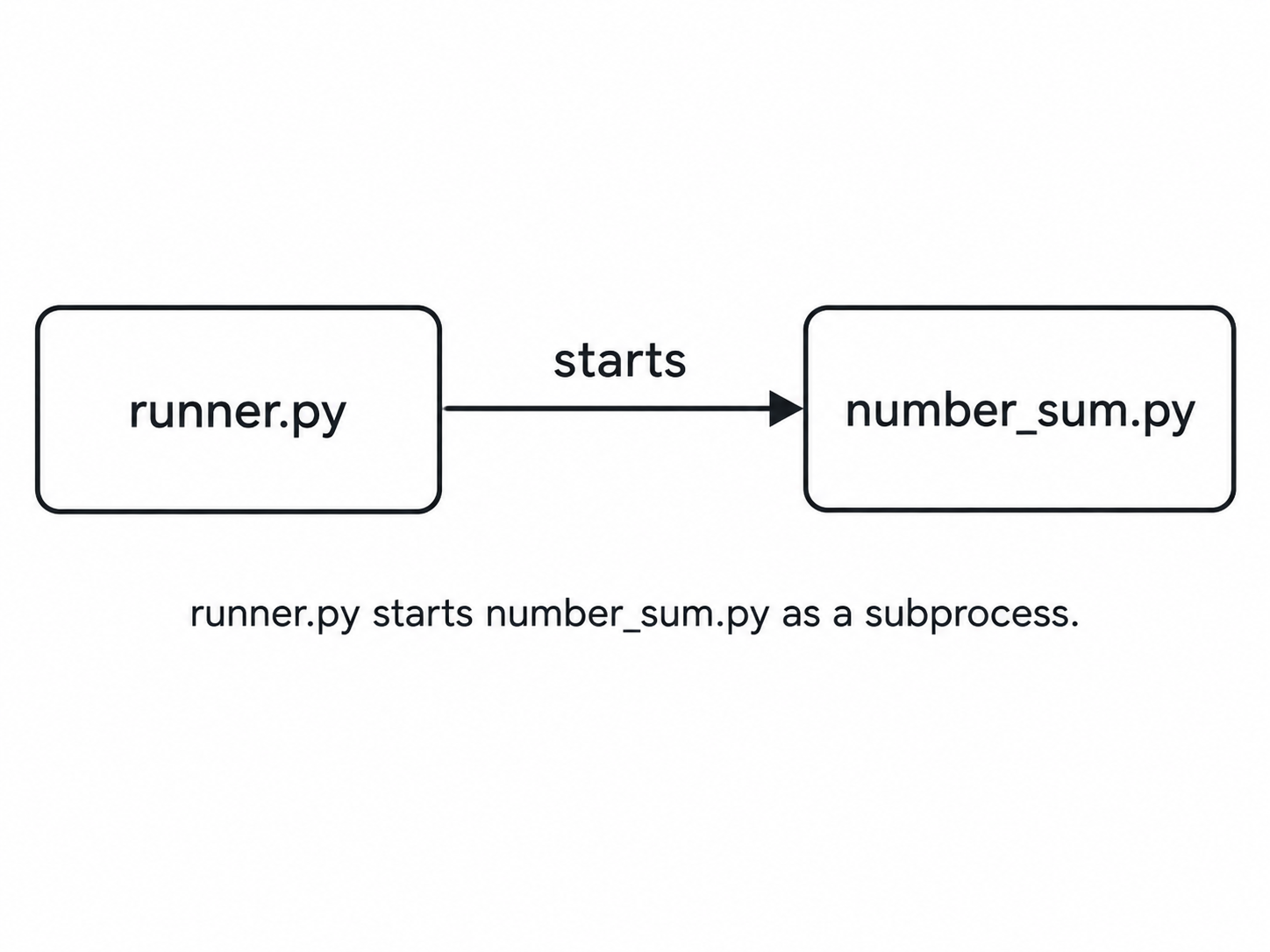
Both programs are now running in separate processes. The child can receive input, produce output, and finish with an exit code.
Python’s subprocess module provides tools for starting that child and communicating with it.
3. Starting a child with subprocess.run()
Our first two files
hello.py
print("Hello from the Child")
This file prints a simple greeting.
runner.py
import subprocess

print("Parent: starting")

subprocess.run(["python3", "hello.py"])

print("Parent: child finished")
subprocessis the module we imported..run()is a function provided by that module.
Understanding the argument list
["python3", "hello.py"] is a list describing what to launch: run python3, giving it hello.py as an argument.
It performs the same basic launch as typing this in your terminal:
python3 hello.py
What “waits for completion” means
Assume both files are in our current terminal folder. When we run python3runner.py, we see:
Parent: starting
Hello from the child
Parent: child finished
The important part is waiting: the parent doesn’t move to its final print() until the child finishes. say if a child takes 5 seconds parent would print the final statement only after 5 seconds.
4. Reading the subprocess completion report
The run() function is used to initiate a subprocess and also capture its output in the form of a CompletedProcess object.
consider the below example:
import subprocess

result = subprocess.run(["python3", "hello.py"])
#result is a CompletedProcess object.
print(result)
Output:
Hello from child
CompletedProcess(args=['python3', 'hello.py'], returncode=0)
The returned object of the CompletedProcess class can provide use uselful information like:
args— the command that was executedreturncode— the child's exit codestdout— captured standard outputstderr— captured standard error
we can access them using the '.' operator like result.stdout .
For now, stdout and stderr will be None because we haven't captured them yet. We'll do that in the next section.
Exit codes are reported status
Remember exit codes from Part 1?
We can inspect the child's exit code with:
print(result.returncode)
An exit code of 0 usually means the program finished successfully, while a non-zero value indicates some kind of failure.
By default, subprocess.run() does not raise an exception for a non-zero exit code.
If we want that behaviour, we can use:
subprocess.run(["python3", "hello.py"], check=True)
One important distinction for our online judge:
An exit code of
0tells us that the program ran successfully. It does not tell us that its answer was correct.
Checking the actual answer is something our judge will handle later.
5. Capturing the child's output
Until now, anything printed by the child process appeared directly in our terminal.
But an online judge needs to read that output itself.
We can do that using capture_output=True.
Try this:
#create a file called runner.py
import subprocess

result = subprocess.run(
    ["python3", "hello.py"],
    capture_output=True,
    text=True
)

print("Captured:", result.stdout)
run the code: python3 runner.py
Output:
Captured: Hello from child
Notice that hello.py no longer prints directly to the terminal.
Instead, its standard output is stored in:
result.stdout
and its errors, if any, are stored separately in:
result.stderr
Why text=True?
Without text=True, Python gives us the output as bytes.
With it, we get normal Python strings, which are much easier to work with.
One small detail: print() adds a newline, and that newline is also captured.
print(repr(result.stdout))
gives:
'Hello from child\n'
So if we want to print the captured output exactly as it came from the child, we can use:
print(result.stdout, end="")
Now our parent process is no longer just starting another program , it can also read what that program prints.
6. Sending input from the parent
We can now capture what the child prints.
The next step would be to send input to the child.
Suppose our child program asks for a name:
#hello.py
name = input()
print(f"Hello, {name}")
Normally, if we run:
python3 hello.py
the program waits for us to type something via the terminal.
But our parent program can provide that input itself.
#runner.py
import subprocess

result = subprocess.run(
    ["python3", "hello.py"],
    input="Asha\n",
    capture_output=True,
    text=True
)

print(result.stdout, end="")
run the code : python3 runner.py
Output:
Hello, Asha
The important part is:
input="Asha\n"
Here, input is a parameter of subprocess.run().
It sends "Asha\n" to the child's standard input.
It is not the same as calling Python's input() function.
The flow looks like this:
runner.py
    ↓
"Asha\n" is sent to stdin
    ↓
hello.py reads it using input()
    ↓
hello.py prints "Hello, Asha\n"
    ↓
runner.py captures its output and store it in result.stdout
This is already very close to what we need in an online judge.
Instead of sending "Asha\n", our judge will eventually send the test case input to a program which user submits against a problem.
7. Handling a child program that takes too long to execute
What if the child program never finishes executing?
example : an infinite while loop
For an online judge, we cannot allow a submitted program to run forever.
Let's create a slow program:
#slow.py
import time

time.sleep(5)
print("Finished")
run it : python3 slow.py
Ouptut:
#after wait time of 5 seconds
Finished
This slow program would take 5 seconds to finish its execution.
Now running it with a timeout:
#runner.py
import subprocess

try:
    result = subprocess.run(
        ["python3", "slow.py"],
        capture_output=True,
        text=True,
        timeout=2
    )

    print(result.stdout, end="")

except subprocess.TimeoutExpired:
    print("Program took too long")
run the file : python3 runner.py
Output:
Program took too long
The important part is:
timeout=2
This means the parent is willing to wait for about 2 seconds.
It does not mean that the program must run for 2 seconds.
If the child finishes earlier, subprocess.run() returns normally.
If it takes too long, Python stops the child, waits for it to terminate, and raises TimeoutExpired.
Timeout versus a non zero exit code
These are two different situations.
Program finishes with exit code 1
        ↓
subprocess.run() returns normally

Program runs longer than the timeout
        ↓
TimeoutExpired is raised
So a timeout tells us something different from an exit code.
For our online judge, this is the beginning of handling a Time Limit Exceeded result or a Tle error.
8. Why prefer argument lists over shell=True?
So far, we have started programs like this where we used a argument list:
subprocess.run(["python3", "hello.py"])
Here, Python directly starts the executable and passes each value as a separate argument.
There is another way to write this:
subprocess.run(
    "python3 hello.py",
    shell=True
)
With shell=True, the command is first given to a shell , like how we manually do.
This matters because the shell understands special symbols such as:
|
;
>
&&
That can become dangerous when part of the command comes from user input.
Consider this filename:
#the entire line below is a file name not just hello.py
hello.py; echo SURPRISE
Now suppose we build the command like this:
filename = "hello.py; echo SURPRISE"

subprocess.run(
    f"python3 {filename}",
    shell=True
)
The shell may interpret it as two commands:
python3 hello.py
echo SURPRISE
The ; is no longer just part of the filename.
Now compare that with an argument list:
subprocess.run(
    ["python3", "hello.py; echo SURPRISE"]
)
Here, the entire string:
hello.py; echo SURPRISE
is passed as one filename.
The ; is not interpreted as another command but rather a command break.
This is why argument lists are generally the better default when using subprocess.
But there is one important thing to remember.
Avoiding shell=True does not make the child program safe.
If we start an untrusted program, that program can still try to access files, consume memory, or perform other unwanted actions.
An argument list helps us avoid shell interpretation.
It is not a sandbox. (don't worry if you dont know what a sandbox is, more about it in upcoming articles.)
Avoiding shell=True protects us from shell interpretation, but it does not isolate the child program from our machine. We will solve that next using Docker.
9. Combining everything learned so far
We now know how to start a child process, send it input, capture its output, inspect its exit code, and stop it if it runs for too long.
Let's combine all of that in one example.
create a file named hello.py
name = input()
print(f"Hello, {name}")
#create a file called runner.py
import subprocess

try:
    result = subprocess.run(
        ["python3", "hello.py"],
        input="Asha\n",
        capture_output=True,
        text=True,
        timeout=2
    )

    print("Exit code:", result.returncode)
    print("Output:", result.stdout, end="")

except subprocess.TimeoutExpired:
    print("Program took too long")
run the runner.py file as python3 runner.py
Output:
Exit code: 0
Output: Hello, Asha
In one call, the parent is now able to:
start the child
send input
capture output
inspect the exit code
set a time limit
This is a small example, but it already looks very similar to the basic execution flow of an online judge.
The judge provides input to a submitted program, waits for it to finish, and then inspects what happened, based on it judge it against the test cases or throw errors.
10. What I learned about subprocesses
In this article, we learned how one Python program can manage another using subprocess.
We can now:
start another program
send input to it
capture its output
inspect its exit code
set a timeout
These are some of the basic building blocks we need for our online judge.
Feels really close right, But we are not done yet.
This Article gives us the basic execution mechanism for our online judge.
There is still one major problem though.
which is, the submitted program would run directly on our machine as we know what we run.
for code which is not ours, we need some isolation.
In the next part, we will run our Python programs inside Docker containers instead.