How to Build an Online Judge, Part 1: Understanding stdin, stdout, stderr, and Exit Codes
Understanding how programs receive data, produce results, and report success or failure—the first step toward judging code.
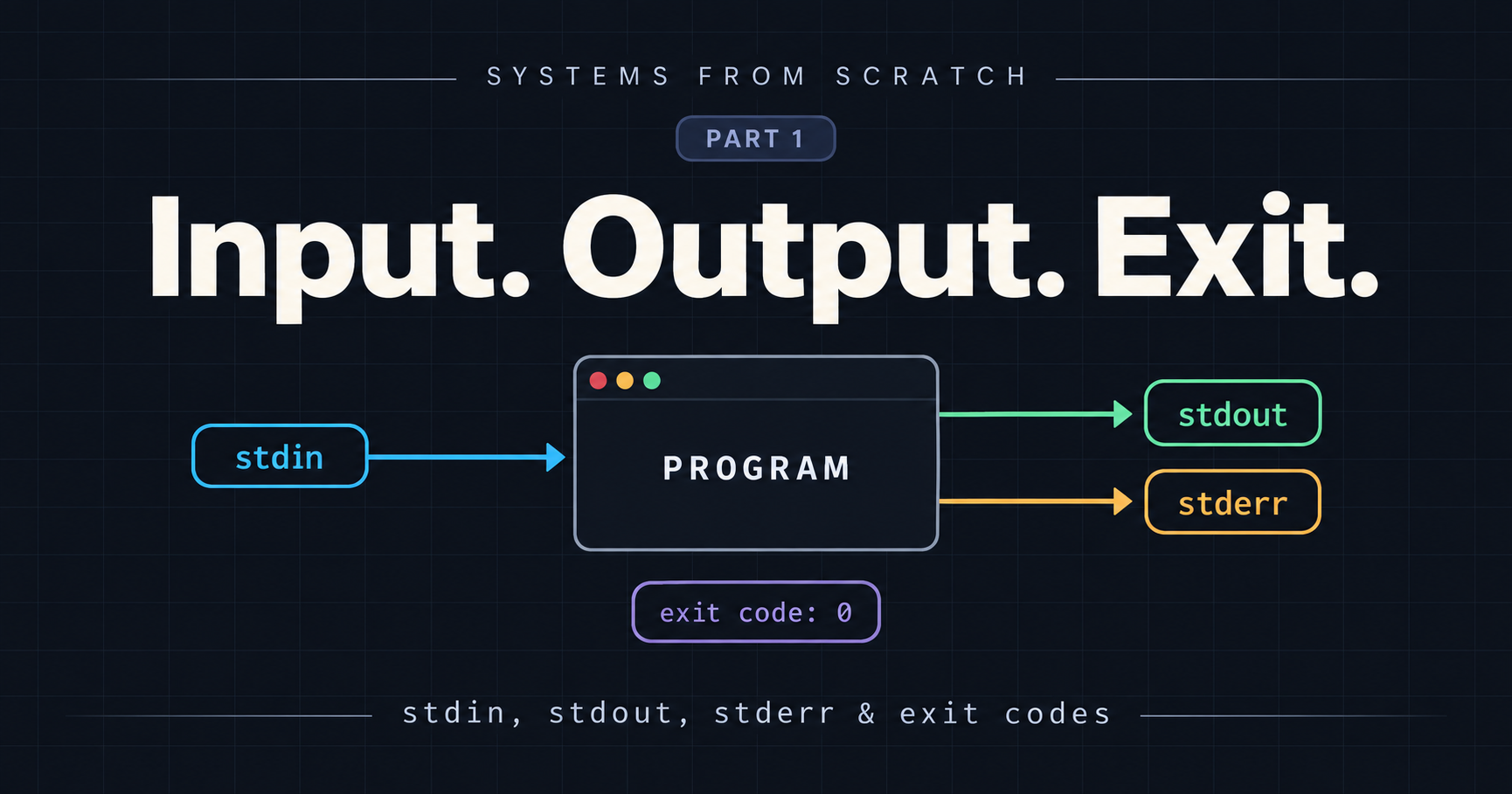
An Online Judge performs code execution and tests it against a series of test cases. A running program may require a input and the output of the program must be communicative with the judge service to declare result , errors or find bugs in the code. This article speaks about how input and output processes work.
Outcome: Understand the complete communication cycle of a program from input to exit code
example of a simple program that sums two numbers.
         PROGRAM
stdin  ───────────► reads two numbers
         adds them
stdout ◄─────────── prints the result
stderr ◄─────────── prints diagnostics

When the program ends → exit code
Input/Output Streams and Exit code:
1. stdin - Standard Input
This is a stream the program can read from. For example,
4 7
you might type that into a terminal after running a program file, but stdin can also come from another file or another program.
One precise correction: not all data supplied to a program is stdin. Command-line arguments, such as the filename in python main.py, are a separate input mechanism.
2. stdout - Standard Output
This is the stream used for the program’s normal results:
11
In Python, print(11) writes to stdout by default.
stdout does not inherently mean that display output on a screen. A terminal usually displays it, but it can also be sent to a file or another program.
3. stderr - The Standard Error
This is a separate output stream for diagnostics such as:
Error: expected two numbers.
Keeping diagnostics separate lets another program consume the actual result without accidentally treating an error message as data.
Your terminal often displays both stdout and stderr, so they can look like the same stream. They are still separate.
4. Exit code : How The program Finished
An exit code is a status value available to the process that launched the program.
| Situation | stdout |
stderr |
Exit code |
|---|---|---|---|
Valid input: 4 7 |
11 |
Empty | 0 |
Invalid input: 4 banana |
Empty | Error: expected two numbers. |
1 |
by convention, 0 means success and non-zero means failure or other condition the caller should handle. The exact meaning of non-zero value depend upon the program.
The result and the exit code are independent. If the sum is 11, the program prints 11 and can still exit with 0. The exit code is not the answer to the calculation.
Also, writing to stderr does not automatically mean failure. A program can print a warning there and still exit successfully.
Example with Code:
import sys

try:
    #input reads one line from stdin
    a,b = map(int,input().split())
    if b == 0:
        #write to the stderr
        print("Error: cannot divide by zero", file=sys.stderr)
        sys.exit(1)

    print(a / b) #writes the answer to stdout
    sys.exit(0)

except (ValueError, EOFError):
    print("Error: expected two numbers.", file = sys.stderr)
    sys.exit(1) #end the program with exit code 1
Running the Code:
python divide.py 10 5
Output:
2
echo $? prints the exit code of the most recently executed command in the shell.
For example:
python divide.py
echo $?
If divide.py finishes with:
sys.exit(0)
then:
echo $?
prints:
0
That means the previous command completed successfully.
If the script finishes with:
sys.exit(1)
then:
echo $?
prints:
1
Explanation and Intuition :
The program expects the user or another process to provide two integers as input. For example:
10 2
Reading from stdin
The following line reads the input:
a, b = map(int, input().split())
Python's input() function reads one line from standard input, commonly called stdin.
If the input is:
10 2
then:
input()
initially gives us the string:
"10 2"
Calling .split() separates it into:
["10", "2"]
Finally, map(int, ...) converts both strings into integers:
a = 10
b = 2
This becomes especially important when we later run the program using subprocess. Instead of a human typing into the terminal, the parent process can send data directly to the child program's stdin.
Writing normal output to stdout
If the input is valid and b is not zero, the program performs the division:
print(a / b)
By default, Python's print() writes to standard output, or stdout which can be seen in the terminal.
For example:
Input:
10 2

stdout:
5.0
When we execute this program through subprocess, we can capture this output and use it elsewhere in our application but until then it appears in the terminal.
Writing errors to stderr
Now consider:
if b == 0:
    print("Error: cannot divide by zero", file=sys.stderr)
    sys.exit(1)
Division by zero is not a valid operation, so instead of writing the message to normal output, we explicitly send it to standard error, or stderr.
The important part is:
file=sys.stderr
Without it, print() would write to stdout.Despite its name, it doesn’t have to refer to a file on disk; it can be an output stream.
For example:
Input:
10 0

stdout:
<empty>

stderr:
Error: cannot divide by zero
Keeping stdout and stderr separate is extremely useful when building systems such as an online judge.
A contestant's actual program output belongs in stdout, while compilation errors, runtime errors, or diagnostic messages can be captured separately through stderr.
Exit codes
Programs also return an exit code when they terminate.
By convention:
sys.exit(0)
means:
The program completed successfully.
while:
sys.exit(1)
indicates that something went wrong.
The exact meaning of non-zero exit codes depends on the application, but the general convention is:
0       → success
non-zero → failure/error
This gives the parent process another way of determining whether execution succeeded.
For example, valid input:
10 2
produces:
stdout = "5.0"
stderr = ""
exit code = 0
But division by zero:
10 0
produces:
stdout = ""
stderr = "Error: cannot divide by zero"
exit code = 1
Handling malformed input
The entire input-processing logic is wrapped inside:
try:
with:
except (ValueError, EOFError):
This protects the program against invalid input.
A ValueError can occur if the supplied values cannot be converted into integers.
For example:
hello 10
would cause:
int("hello")
to fail.
An EOFError can occur when the program expects input but reaches the end of the input stream without receiving anything.
In either case, the program writes:
Error: expected two numbers.
to stderr and terminates with exit code 1.
Why this example matters for subprocesses
When one program launches another program, there are four important communication channels to think about:
Parent Process
      |
      | stdin
      v
Child Process
      |
      +---- stdout
      |
      +---- stderr
      |
      +---- exit code
stdin carries data into the child process.
stdout carries the program's normal result out.
stderr carries error messages and diagnostics out.
The exit code tells the parent process whether execution succeeded or failed.
This small division program gives us a simple program to test with subprocess.
Later, we can write another Python program that launches this file, sends input to it, reads its output, captures any errors, and checks whether it exited successfully.
This is similar to what an online judge does when it runs a user's submitted code against test cases.
The next article would be about subprocesses in python and how are they used to execute programs in different python files.